Showing posts with label Passwords. Show all posts

How strong is your password?

Posted by Unknown | 1:46 PM | Monday, November 3 | , | 11 comments »

Password (n.): A secret word or phrase that one uses to gain admittance or access to information. A sequence of characters that one must input to gain access to a file, application, or computer system. Also called passkey.


How many of us really use strong passwords? I always have been using passwords that don't have any relation with my personal life like my date of birth, marriage anniversary or any such events. The passwords with these kind of details are usually easy to crack and do not provide any security to our digital life. Yes, digital life or digital age that we are in where we communicate regularly via e-mail, blogs, chat, IRC etc. All these accounts need passwords and we tend to ignore some basic rules when creating passwords. Wanna know how strong your password is? Go to the hackosis website and find out. If you are paranoid about someone snooping around, download this excel spreadsheet, input the relevant data and find out the strength of your password(s).

-CLICK HERE TO READ THE REST OF THE ARTICLE-
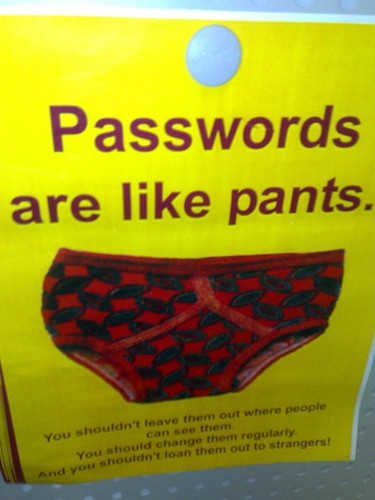


Ask yourself the following:

1) Have you ever been bothered that you have the same (or mostly the same) password for all your login accounts?

2) Have you ever felt insecure about losing that one password and consequently losing your privacy or important information in the login account with no way to recover or undo what has been done?

3) Have you ever feared forgetting your password because you had to add numbers and special characters to make it stronger?

If the answer to any of the above is a "YES", read on.

Nothing creates as many identities as being an active user of the internet. These range from innumerable email accounts to almost every other service on the internet. And remembering passwords for all of these is a tough task. Managing passwords can be quite painful and the fear of losing them is irritating. There are a lot of password management tools out there but somehow I am not very comfortable with the idea of having a software track all my passwords. Besides, since I am not the only user of my computer, I find it safe to remember all my passwords in my mind. But remembering too many isn't easy and I needed an algorithm that I could quickly execute on my brain.

After some thinking I came up with a method to create unique and strong passwords for every account that I hold and a convenient method of changing them. I have used this method for three years now and it works like a charm.

The password is generated using four pieces of information:
1) The name of the website for which's account you are trying to create the password. Eg: Yahoo
2) The username at this website. Eg: phyliadilia
3) Place of birth. Eg. oslo
4) Year of birth. Eg. 1985


Now the above information is manipulated like this:
1) The first character of the website is taken = y
2) The first character of the username is taken = p
3) The characters of the place are right shifted by 1. So "oslo" becomes "ptmp"
4) The date of birth is right shifted = 2096

The password is framed by combining the above = ypptmp2096

Advantages, logic and rules of the strategy:

1) Since the first parameter is website dependent, I already know the first letter of my password whenever I visit the website.

2) I have different login names for different websites (due to unavailability mostly). Most often, many begin with the same alphabet or there are not enough variations. So if I forget the password, I just need to recollect some of my commonly used login names and try it in combination with the rules of the rest of the password.

3) Parameter 3 brings in a non dictionary word into the password and adds character count. With every additional character added to a password the time taken to crack a password using a brute force cracker will increase by powers of 10.

4) Parameter 4 brings in a number into the password thereby introducing non-alphabet character which make the password tougher to crack.

5) The last two parameters remain the same for any website and account and the first 2 characters vary. I have noticed that this strategy over a period of time is very easy to recollect by remembering the base algorithm of password formation.

6) Whenever I want to change the existing password (in case the password expires), I just add a right shifted second character from my name to my password. Eg. if "ypptmp" expires, I change it to "yphptmp", where the h is the 2nd alphabet of the login name. For ease of rememebrance, I do this to all accounts whenever I do it to one.

Enjoy safe, distinct and easy to remember passwords.

-CLICK HERE TO READ THE REST OF THE ARTICLE-